
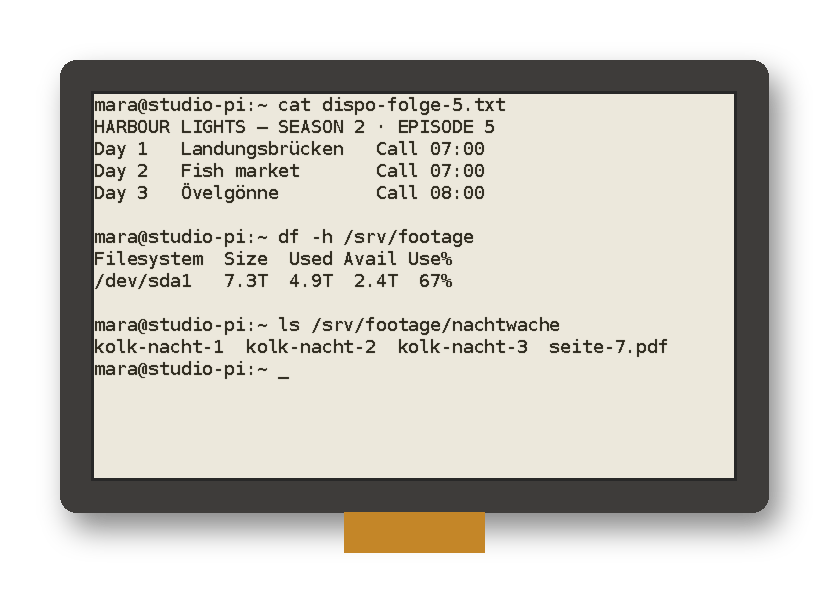
Virtual Console
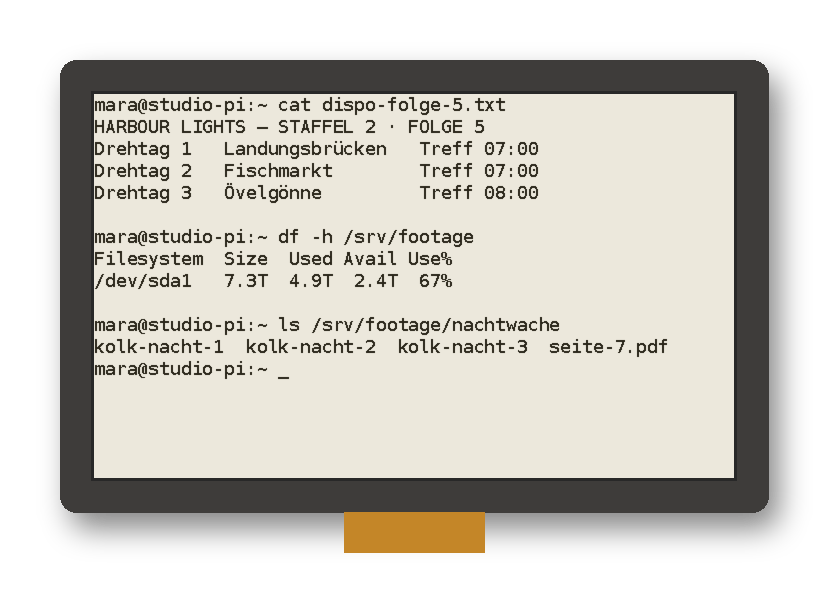
Virtuelle Konsole
Mirror a Linux tty directly to the e-ink panel with partial refresh where supported.
Spiegelt ein Linux-TTY direkt auf das E-Ink-Panel, mit partiellem Refresh, wo unterstützt.
VNC Support
VNC-Unterstützung
Display a remote desktop session on e-ink. Great for headless setups with a graphical environment.
Zeigt eine Remote-Desktop-Sitzung auf E-Ink. Ideal für Headless-Setups mit grafischer Umgebung.
Modern Stack
Moderner Stack
Python 3.11+, Pillow 10+, click 8, spidev, gpiozero/lgpio. Installs cleanly on Bookworm & Trixie.
Python 3.11+, Pillow 10+, click 8, spidev, gpiozero/lgpio. Installiert sich sauber auf Bookworm & Trixie.
One-liner Installers
Einzeiler-Installer
papertty-init-style prompts: pick your panel, GPIO backend, and boot method. Works from curl.
Abfragen im Stil von papertty-init: Panel, GPIO-Backend und Startmethode wählen. Funktioniert direkt per curl.
40 Display Drivers
40 Display-Treiber
From 1.54″ to 10.3″ — including IT8951 HD boards. Experimental V2/V3/V4/HD ports included.
Von 1,54″ bis 10,3″ – einschließlich IT8951-HD-Boards. Experimentelle V2/V3/V4/HD-Ports inklusive.
Panel Scrub
Panel-Reinigung
Built-in scrub command to clear ghosting. Works with all drivers including IT8951.
Eingebauter Befehl scrub, um Ghosting zu entfernen. Funktioniert mit allen Treibern, auch IT8951.
Only redraw what changed
Nur neu zeichnen, was sich geändert hat
PaperTTY reads the console as text, compares it with the previous frame and finds the lines that differ. On panels with partial refresh only those bands go to the display, so typing a command does not flash the whole screen.
PaperTTY liest die Konsole als Text, vergleicht sie mit dem vorherigen Bild und findet die Zeilen, die sich unterscheiden. Auf Panels mit partiellem Refresh gehen nur diese Bänder ans Display, sodass ein getippter Befehl nicht den ganzen Bildschirm blinken lässt.
- Changed lines are merged into blocks, so a few neighbouring edits become one update
- The cursor is part of the diff: underscore, block or none, chosen with
--cursor --nopartialforces full updates on panels where partial refresh looks poor- For VNC and framebuffer input,
--fulleverysets how many partial updates run before a full one
- Geänderte Zeilen werden zu Blöcken zusammengefasst, mehrere benachbarte Änderungen ergeben also ein Update
- Der Cursor ist Teil des Vergleichs: Unterstrich, Block oder keiner, gewählt mit
--cursor --nopartialerzwingt volle Updates auf Panels, bei denen partieller Refresh schlecht aussieht- Bei VNC- und Framebuffer-Eingabe legt
--fulleveryfest, wie viele partielle Updates vor einem vollen laufen
Fast on IT8951 HD panels
Schnell auf IT8951-HD-Panels
Release 1.0.0 was measured on real hardware: a 1872×1404 panel on a Pi Zero 2 W. Real SPI speed through --mhz and a numpy fast path for 1-bit packing cut a full A2 refresh from 3.4 s to 0.6 s and a partial line update from 1.5 s to 0.03 s.
Release 1.0.0 wurde auf echter Hardware gemessen: ein 1872×1404-Panel an einem Pi Zero 2 W. Die echte SPI-Geschwindigkeit über --mhz und ein numpy-Schnellpfad fürs 1-Bit-Packen senken einen vollen A2-Refresh von 3,4 s auf 0,6 s und ein partielles Zeilen-Update von 1,5 s auf 0,03 s.
--mhz 12is verified stable, 16 MHz is not- Packing a full frame dropped from 1.6 s to 0.02 s
- BUSY and LUT waits have timeouts, so a wedged controller restarts the service instead of hanging
--disable_a2and--disable_1bppswitch the fast paths off if a panel misbehaves
--mhz 12ist als stabil geprüft, 16 MHz nicht- Das Packen eines vollen Bildes sank von 1,6 s auf 0,02 s
- BUSY- und LUT-Wartezeiten haben Timeouts, ein hängender Controller startet den Dienst also neu statt zu blockieren
--disable_a2und--disable_1bppschalten die Schnellpfade ab, falls ein Panel sich seltsam verhält
Five ways to fill the panel
Fünf Wege, das Panel zu füllen
Every source is a subcommand of the same CLI. The global options --driver, --vcom, --nopartial and --encoding go before it.
Jede Quelle ist ein Unterbefehl derselben CLI. Die globalen Optionen --driver, --vcom, --nopartial und --encoding stehen davor.
| CommandBefehl | What it showsWas es zeigt | Useful optionsNützliche Optionen |
|---|---|---|
terminal | A Linux virtual console, read from /dev/vcsa1 or another ttyEine virtuelle Linux-Konsole, gelesen aus /dev/vcsa1 oder einem anderen TTY | --autofit --font --size --rows --cols |
vnc | A remote desktop over VNC (optional extra papertty[vnc])Ein Remote-Desktop über VNC (optionales Extra papertty[vnc]) | --host --display --password --fullevery |
fb | A Linux framebuffer, /dev/fb0 by defaultEin Linux-Framebuffer, standardmäßig /dev/fb0 | --fb-num --rotate --invert --sleep |
image | A picture from a file or stdin, scaled to fitEin Bild aus einer Datei oder stdin, passend skaliert | --image --stretch --rotate --mirror --flip |
stdin | Text piped in from another program, folded to the panel widthText, der von einem anderen Programm hineingepipet wird, auf die Panelbreite umbrochen | --font --size --nofold --spacing |
scrub | Sweeps the panel with stripes to clear ghostingFährt Streifen über das Panel, um Ghosting zu entfernen | --size |
list | Lists every driver nameListet alle Treibernamen auf |
How it works
So funktioniert es
PaperTTY keeps a Pillow image of the current screen and only sends what changed. The drivers come from the Waveshare demos, with a common base class so the panels share most of their code.
PaperTTY hält ein Pillow-Bild des aktuellen Bildschirms und schickt nur, was sich geändert hat. Die Treiber stammen aus den Waveshare-Demos und teilen sich eine gemeinsame Basisklasse, sodass die Panels den größten Teil ihres Codes gemeinsam haben.
spidev and gpiozero with lgpiospidev und gpiozero mit lgpio- Text is read with the console encoding,
latin_1by default and changeable with--encoding; systems with/dev/vcsuget Unicode --rowsand--colsset the tty size, or--autofitfits it to the font and panel--no-rotate(alias--portrait) renders along the native panel axes instead of rotating the text by 90 degrees--interactivelets you type on the panel without a separate keyboard session
- Text wird mit der Konsolenkodierung gelesen, standardmäßig
latin_1und änderbar mit--encoding; Systeme mit/dev/vcsubekommen Unicode --rowsund--colssetzen die TTY-Größe, oder--autofitpasst sie an Schrift und Panel an--no-rotate(Alias--portrait) rendert entlang der nativen Panelachsen, statt den Text um 90 Grad zu drehen--interactiveerlaubt Eingaben auf dem Panel ohne separate Tastatursitzung
Install
Installation
- Enable SPI with
raspi-config. The Lite installer can do this for you. - Run the installer one-liner from the box above: venv only if you just want the command, full Lite setup for a Pi that should boot straight into PaperTTY, or the desktop installer for XFCE.
- Answer the prompts: GPIO library, autologin, panel driver, orientation and font size, boot method.
- Reboot. The panel shows the console; run
sudo papertty --driver <name> scrubonce if you see ghosting.
- Aktiviere SPI mit
raspi-config. Der Lite-Installer kann das für dich erledigen. - Führe den Installer-Einzeiler aus der Box oben aus: nur venv, wenn du bloß den Befehl willst, komplette Lite-Einrichtung für einen Pi, der direkt in PaperTTY startet, oder den Desktop-Installer für XFCE.
- Beantworte die Fragen: GPIO-Bibliothek, Autologin, Panel-Treiber, Ausrichtung und Schriftgröße, Startmethode.
- Starte neu. Das Panel zeigt die Konsole; bei Ghosting einmal
sudo papertty --driver <Name> scrubausführen.
| ScriptSkript | When to useWann nutzen |
|---|---|
install/simple.sh | Venv only. No boot or SPI changes, works on a PC tooNur venv. Keine Boot- oder SPI-Änderungen, funktioniert auch auf einem PC |
install/cli.sh | Raspberry Pi OS Lite: SPI, optional console autologin, fonts, panel and GPIO prompts, systemd or crontabRaspberry Pi OS Lite: SPI, optional Konsolen-Autologin, Schriften, Abfragen für Panel und GPIO, systemd oder crontab |
install/gui.sh | Raspberry Pi OS desktop: XFCE autologin, show tty1 or send text through tmuxRaspberry Pi OS Desktop: XFCE-Autologin, tty1 anzeigen oder Text über tmux senden |
Files stay in your home directory: the venv in ~/.local/share/papertty/venv, fonts in ~/.local/share/fonts/papertty-init/ and the start script in ~/.local/bin/papertty-init/startpapertty.sh. The boot service is papertty.service (systemd, recommended) or an @reboot crontab line. Environment variables PAPERTTTY_REPO_URL, PAPERTTTY_REF and PAPERTTTY_SRC change the source of the curl installers.
Die Dateien bleiben im Home-Verzeichnis: das venv in ~/.local/share/papertty/venv, Schriften in ~/.local/share/fonts/papertty-init/ und das Startskript in ~/.local/bin/papertty-init/startpapertty.sh. Der Boot-Dienst ist papertty.service (systemd, empfohlen) oder eine @reboot-Zeile in der crontab. Die Umgebungsvariablen PAPERTTTY_REPO_URL, PAPERTTTY_REF und PAPERTTTY_SRC ändern die Quelle der curl-Installer.
Supported Displays
Unterstützte Displays
A selection of supported panels. Full list in the Wiki →
Eine Auswahl unterstützter Panels. Vollständige Liste im Wiki →
| DriverTreiber | DisplayDisplay | ResolutionAuflösung | PartialPartiell |
|---|---|---|---|
EPD2in13 | 2.13″ HAT (legacy)2,13″ HAT (alt) | 128×250 | YesJa |
EPD2in13v3 * | 2.13″ V3 | 128×250 | YesJa |
EPD2in13v4 * | 2.13″ V4 / HAT+ | 128×250 | YesJa |
EPD7in5v2 | 7.5″ V2 | 800×480 | NoNein |
EPD7in5_HD * | 7.5″ HD | 880×528 | NoNein |
IT8951 | 6″ / 7.8″ / 9.7″ / 10.3″ HD | VariesVariiert | YesJa |
EPD4in01f * | 4.01″ 7-color ACeP4,01″ 7-farbig ACeP | 640×400 | NoNein |
EPD4in2 | 4.2″ | 400×300 | YesJa |
EPD2in9 | 2.9″ | 128×296 | YesJa |
EPD2in7 | 2.7″ | 176×264 | NoNein |
EPD5in83 | 5.83″ | 600×448 | NoNein |
EPD5in65f | 5.65″ 7-color | 600×448 | NoNein |
40 drivers are shipped, 17 of them experimental. Run papertty --driver EPD2in13 list to see every name.
Es sind 40 Treiber enthalten, 17 davon experimentell. papertty --driver EPD2in13 list zeigt jeden Namen.
* = experimental, AI-assisted port, not hardware-tested
* = experimentell, KI-gestützter Port, nicht auf Hardware getestet
The IT8951 driver is verified on real hardware: 1872×1404 HD panel on a Pi Zero 2 W (v1.0.0).
Der Treiber IT8951 ist auf echter Hardware geprüft: 1872×1404-HD-Panel an einem Pi Zero 2 W (v1.0.0).
Usage
Nutzung
After install, the CLI is ready. Most commands need sudo because they talk to the console device and to SPI and GPIO.
Nach der Installation ist die CLI einsatzbereit. Die meisten Befehle brauchen sudo, weil sie mit dem Konsolengerät sowie mit SPI und GPIO sprechen.
Terminal options
Terminal-Optionen
| OptionOption | What it doesWas sie macht |
|---|---|
--autofit | Fits rows and columns to the font and the panelPasst Zeilen und Spalten an Schrift und Panel an |
--font --size | TrueType or PIL font and its size (default 8)TrueType- oder PIL-Schrift und ihre Größe (Standard 8) |
--cursor | default, block, none or a number of pixelsdefault, block, none oder eine Pixelzahl |
--rows --cols | Set the tty size by hand (both required)Setzt die TTY-Größe von Hand (beide erforderlich) |
--no-rotate | Render along the native panel axesRendert entlang der nativen Panelachsen |
--flipx --flipy | Mirror an upside-down or flipped mount (experimental)Spiegelt bei kopfstehender oder gespiegelter Montage (experimentell) |
--spacing | Line spacing in pixels, or autoZeilenabstand in Pixeln oder auto |
--scrub | Scrub the panel when startingPanel beim Start reinigen |
--sleep | Minimum pause between refreshes (default 0.1 s)Minimale Pause zwischen Refreshes (Standard 0,1 s) |
--noclear | Leave the content on the panel on exitInhalt beim Beenden auf dem Panel lassen |
Questions
Fragen
Which displays and which Pi do I need?Welche Displays und welchen Pi brauche ich?
Any Raspberry Pi with SPI. The 1.0.0 release was verified with an IT8951 1872×1404 panel on a Pi Zero 2 W. Raspberry Pi OS Bookworm or Trixie is recommended, with Python 3.11 or newer.
Jeder Raspberry Pi mit SPI. Release 1.0.0 wurde mit einem IT8951-Panel (1872×1404) an einem Pi Zero 2 W geprüft. Empfohlen sind Raspberry Pi OS Bookworm oder Trixie mit Python 3.11 oder neuer.
What does experimental mean?Was bedeutet experimentell?
Seventeen drivers are new ports of the Waveshare demos (2.13″ V3 and V4, 7.5″ HD, 4.01″ 7-color and others) that have not run on real panels. They print a warning at start. The classic drivers from upstream are mostly untested by me, too; some were tested by the upstream authors years ago.
Siebzehn Treiber sind neue Portierungen der Waveshare-Demos (2,13″ V3 und V4, 7,5″ HD, 4,01″ 7-farbig und weitere), die noch nie auf echten Panels gelaufen sind. Sie geben beim Start eine Warnung aus. Auch die klassischen Treiber aus dem Original sind von mir größtenteils ungetestet; einige haben die Original-Autoren vor Jahren getestet.
How do I wire the panel?Wie verdrahte ich das Panel?
Most Waveshare HATs sit on the Pi header and use the same BCM pins: RST 17, DC 25, CS 8, BUSY 24, plus SPI0 for MOSI and SCLK. Enable SPI with raspi-config. For IT8951 boards, set the DIP switch to SPI (some HATs also work over USB) and pass --vcom from the FPC sticker. Use a power supply that can handle the panel's peak current, especially for larger panels.
Die meisten Waveshare-HATs sitzen auf der Pi-Leiste und nutzen dieselben BCM-Pins: RST 17, DC 25, CS 8, BUSY 24 sowie SPI0 für MOSI und SCLK. Aktiviere SPI mit raspi-config. Bei IT8951-Boards stellst du den DIP-Schalter auf SPI (manche HATs funktionieren auch per USB) und übergibst --vcom vom FPC-Aufkleber. Nutze ein Netzteil, das den Spitzenstrom des Panels verkraftet, vor allem bei größeren Panels.
I see GPIO busy on an IT8951 panelIch sehe GPIO busy bei einem IT8951-Panel
The driver toggles chip-select by hand, so the kernel must not own GPIO 8. Add dtoverlay=spi0-0cs to /boot/firmware/config.txt and reboot.
Der Treiber schaltet Chip-Select von Hand, der Kernel darf GPIO 8 also nicht besitzen. Trage dtoverlay=spi0-0cs in /boot/firmware/config.txt ein und starte neu.
The text is rotated by 90 degreesDer Text ist um 90 Grad gedreht
By default text is rotated to suit portrait panels. IT8951 HD panels are landscape natively, so add --no-rotate. Use --flipx or --flipy if the mount is upside down.
Standardmäßig wird der Text für Hochformat-Panels gedreht. IT8951-HD-Panels sind von Haus aus Querformat, ergänze also --no-rotate. Bei kopfstehender Montage helfen --flipx oder --flipy.
The panel shows ghostingDas Panel zeigt Ghosting
Run sudo papertty --driver <name> scrub. It works with all drivers, including IT8951 (which also needs --vcom). --scrub on terminal does the same at startup.
Führe sudo papertty --driver <Name> scrub aus. Das funktioniert mit allen Treibern, auch IT8951 (das zusätzlich --vcom braucht). --scrub bei terminal macht dasselbe beim Start.
Is this an official Waveshare or upstream project?Ist das ein offizielles Waveshare- oder Upstream-Projekt?
No. It is a personal fork of joukos/PaperTTY, updated for current Raspberry Pi OS, with installers based on papertty-init. Application code was originally CC0; the display drivers under papertty/drivers/ are GPL-3.0.
Nein. Es ist ein persönlicher Fork von joukos/PaperTTY, aktualisiert für aktuelles Raspberry Pi OS, mit Installern auf Basis von papertty-init. Der Anwendungscode war ursprünglich CC0; die Display-Treiber unter papertty/drivers/ stehen unter GPL-3.0.
Changes
Änderungen
-
1.0.0
The first release of this fork: PaperTTY runs on current Raspberry Pi OS, drives more Waveshare panels and is verified on real hardware, an IT8951 panel (1872×1404) on a Pi Zero 2 W.Die erste Version dieses Forks: PaperTTY läuft auf aktuellem Raspberry Pi OS, treibt mehr Waveshare-Panels an und ist auf echter Hardware geprüft, mit einem IT8951-Panel (1872×1404) an einem Pi Zero 2 W.
NewNeu
- Installers in the style of papertty-init (
install/cli.sh,install/gui.sh,install/simple.sh), also as curl one-liners: start at boot through systemd or crontab, prompts for panel and GPIO, Ubuntu fonts and VCOM for IT8951.Installer im Stil von papertty-init (install/cli.sh,install/gui.sh,install/simple.sh), auch als curl-Einzeiler: Start beim Booten über systemd oder crontab, Abfrage von Panel und GPIO, Ubuntu-Schriften und VCOM für IT8951. - More Waveshare drivers (2.13 V3/V4, 1.54/2.7/2.9/4.2/5.83 V2, 2.66, 2.9d, 7.5 HD, 4.01f and others), each with a wiki page and marked experimental.Weitere Waveshare-Treiber (2.13 V3/V4, 1.54/2.7/2.9/4.2/5.83 V2, 2.66, 2.9d, 7.5 HD, 4.01f und andere), jeder mit einer Wiki-Seite und als experimentell markiert.
--no-rotateis the main name of--portrait, which stays as an alias: the flag draws text along the panel's native axes, it does not turn the output to portrait.--no-rotateist der Hauptname von--portrait, das als Alias bleibt: Der Schalter zeichnet Text entlang der nativen Achsen des Panels, er dreht die Ausgabe nicht ins Hochformat.
ImprovedVerbessert
- Runs on Python 3.11+ and current Raspberry Pi OS (Pillow 10+, click 8). SPI goes through spidev, GPIO through gpiozero/lgpio. VNC is an optional extra (
papertty[vnc]), and--vcomis a top-level option (IT8951scrubneeds it).Läuft mit Python 3.11+ und aktuellem Raspberry Pi OS (Pillow 10+, click 8). SPI geht über spidev, GPIO über gpiozero/lgpio. VNC ist ein optionales Extra (papertty[vnc]), und--vcomist eine Option auf oberster Ebene (scrubbei IT8951 braucht sie). - IT8951 is much faster:
--mhzsets the real SPI speed (12 MHz stable, 16 MHz not) and 1bpp packing is quicker. On 1872×1404 a full A2 refresh takes 0.6 s instead of 3.4 s, a partial line update 0.03 s instead of 1.5 s.IT8951 ist viel schneller:--mhzsetzt die echte SPI-Geschwindigkeit (12 MHz stabil, 16 MHz nicht), und das Packen mit 1 bpp geht schneller. Bei 1872×1404 dauert ein voller A2-Refresh 0,6 s statt 3,4 s, das Teil-Update einer Zeile 0,03 s statt 1,5 s. - Generated start scripts keep the output unbuffered under sudo, so start-up messages reach journald at once.Erzeugte Startskripte geben unter sudo ungepuffert aus, Startmeldungen landen sofort im journald.
FixedBehoben
GPIO busyon the SPI chip-select pins: the kernel claimed them while PaperTTY switched them by hand. The error message, installers and docs now point todtoverlay=spi0-0cs.GPIO busyan den SPI-Chip-Select-Pins: Der Kernel belegte sie, während PaperTTY sie selbst schaltete. Fehlermeldung, Installer und Doku verweisen jetzt aufdtoverlay=spi0-0cs.- Text rendering with Pillow 10+: the removed
ImageFont.getsizeis replaced.Textausgabe mit Pillow 10+: Das entfernteImageFont.getsizeist ersetzt. - A stuck IT8951 controller no longer hangs the service: BUSY and LUT waits time out, and the service restarts.Ein hängender IT8951-Controller legt den Dienst nicht mehr still: Das Warten auf BUSY und LUT hat eine Zeitgrenze, und der Dienst startet neu.
All changes since the fork →Alle Änderungen seit dem Fork →NoteHinweis
- The fork and its extended drivers are vibe-coded and built for personal use; verified on hardware is the IT8951 setup above.Fork und erweiterte Treiber sind vibe-coded und für den eigenen Gebrauch gebaut; auf Hardware geprüft ist das IT8951-Setup oben.
- Installers in the style of papertty-init (