
Two palettes, one per user
Zwei Paletten, je Nutzer wählbar
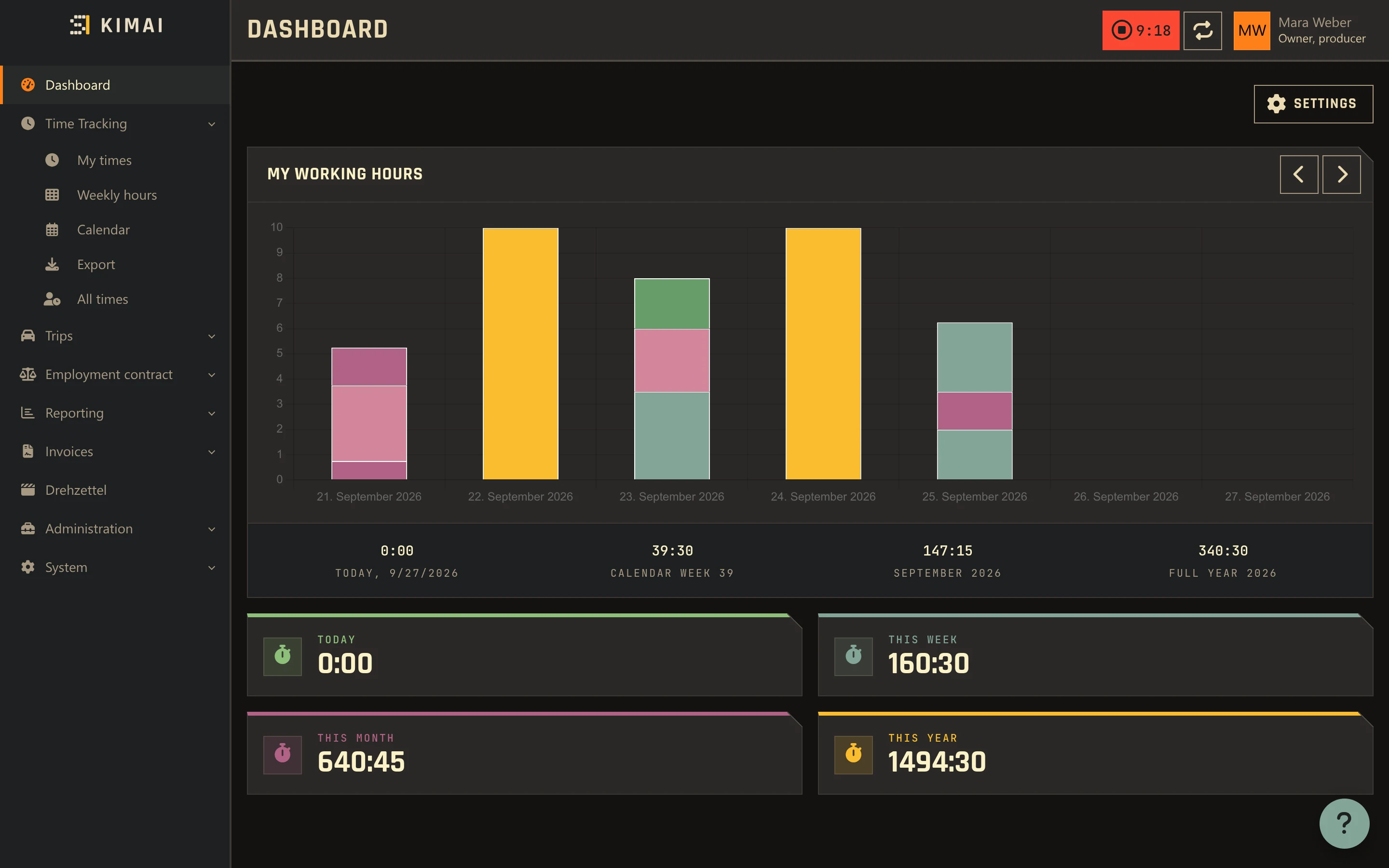
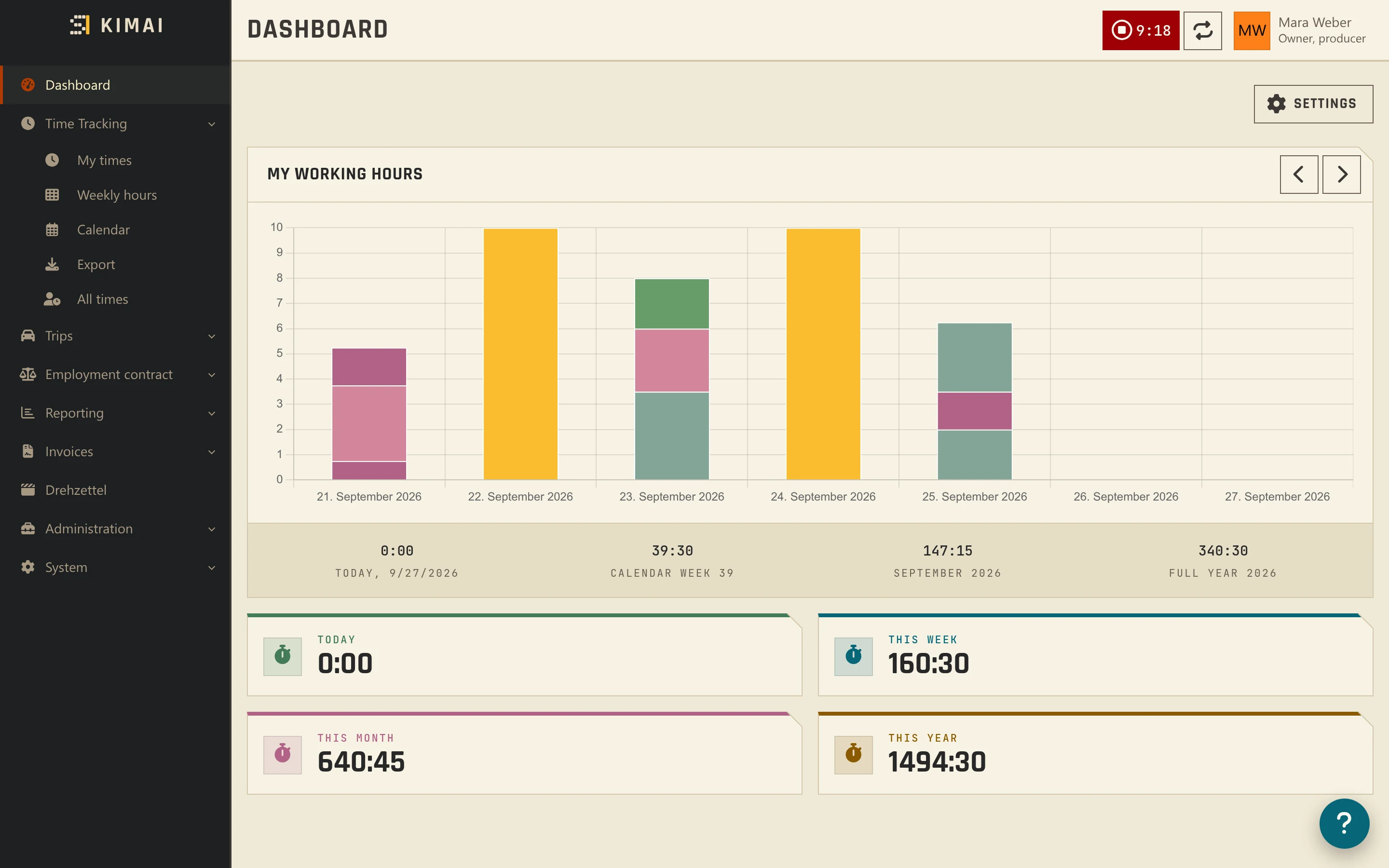
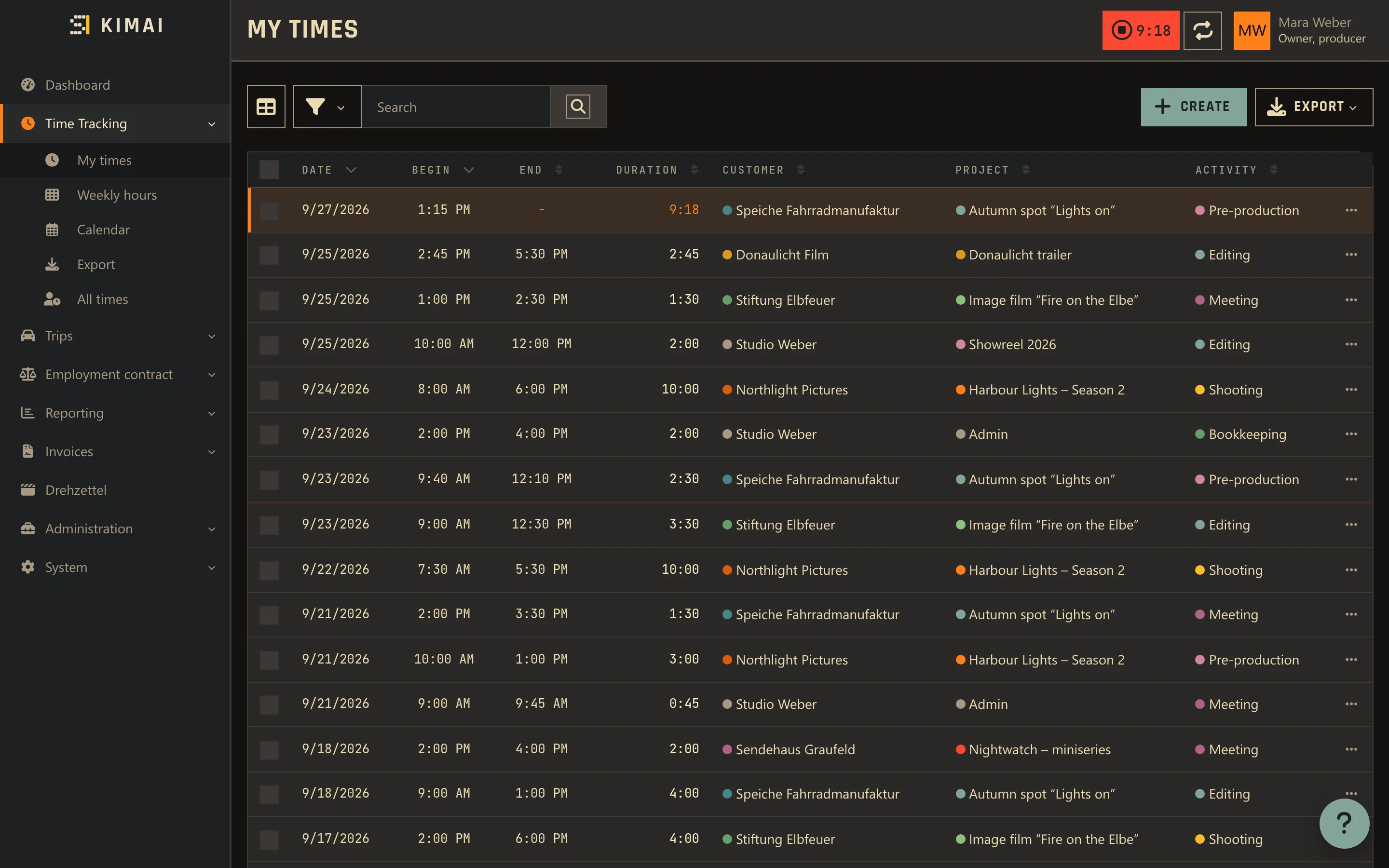
Gruvbox dark or “Leinen” light. Every user picks their own under Profile → Settings → Theme, independent of everyone else.
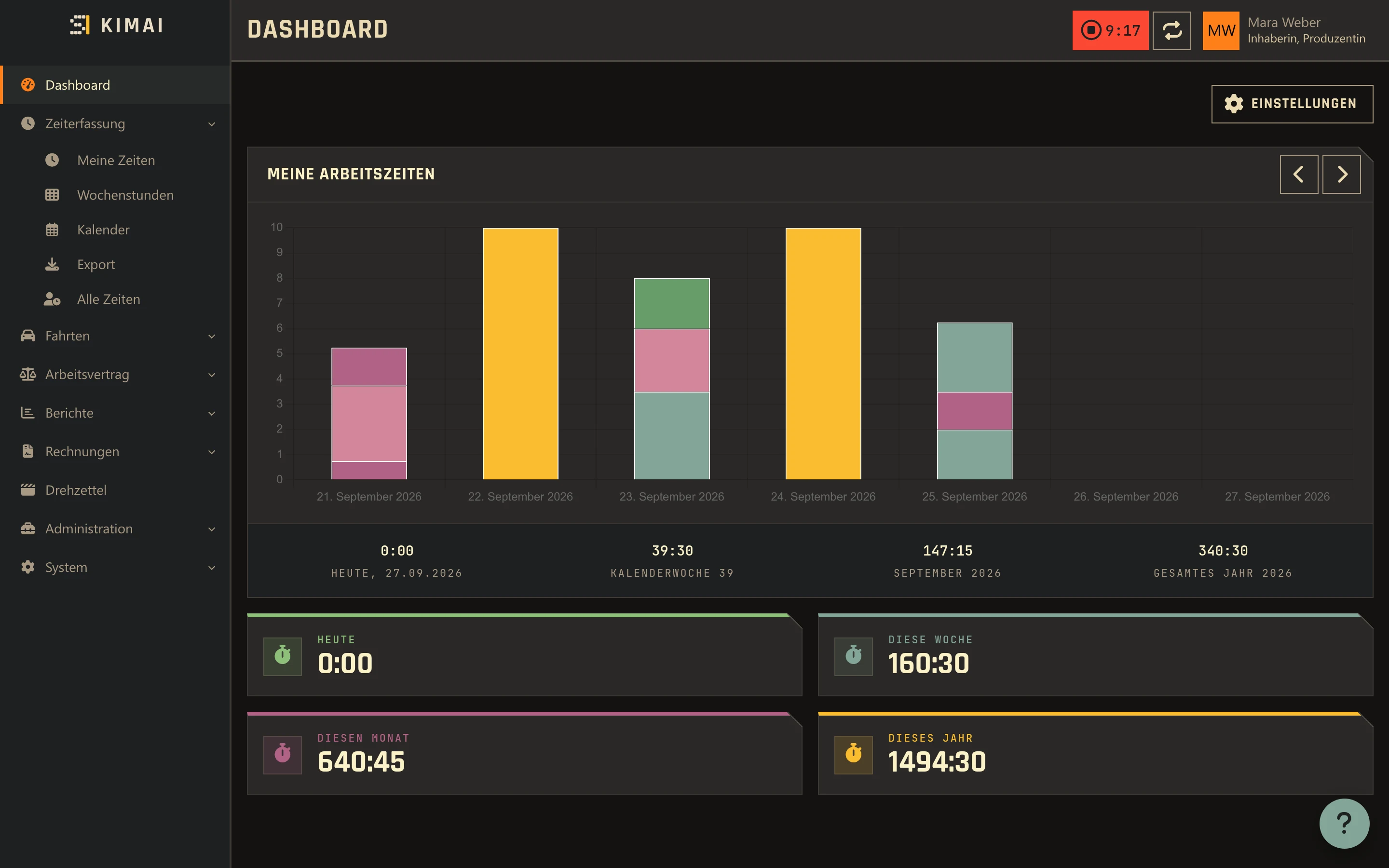
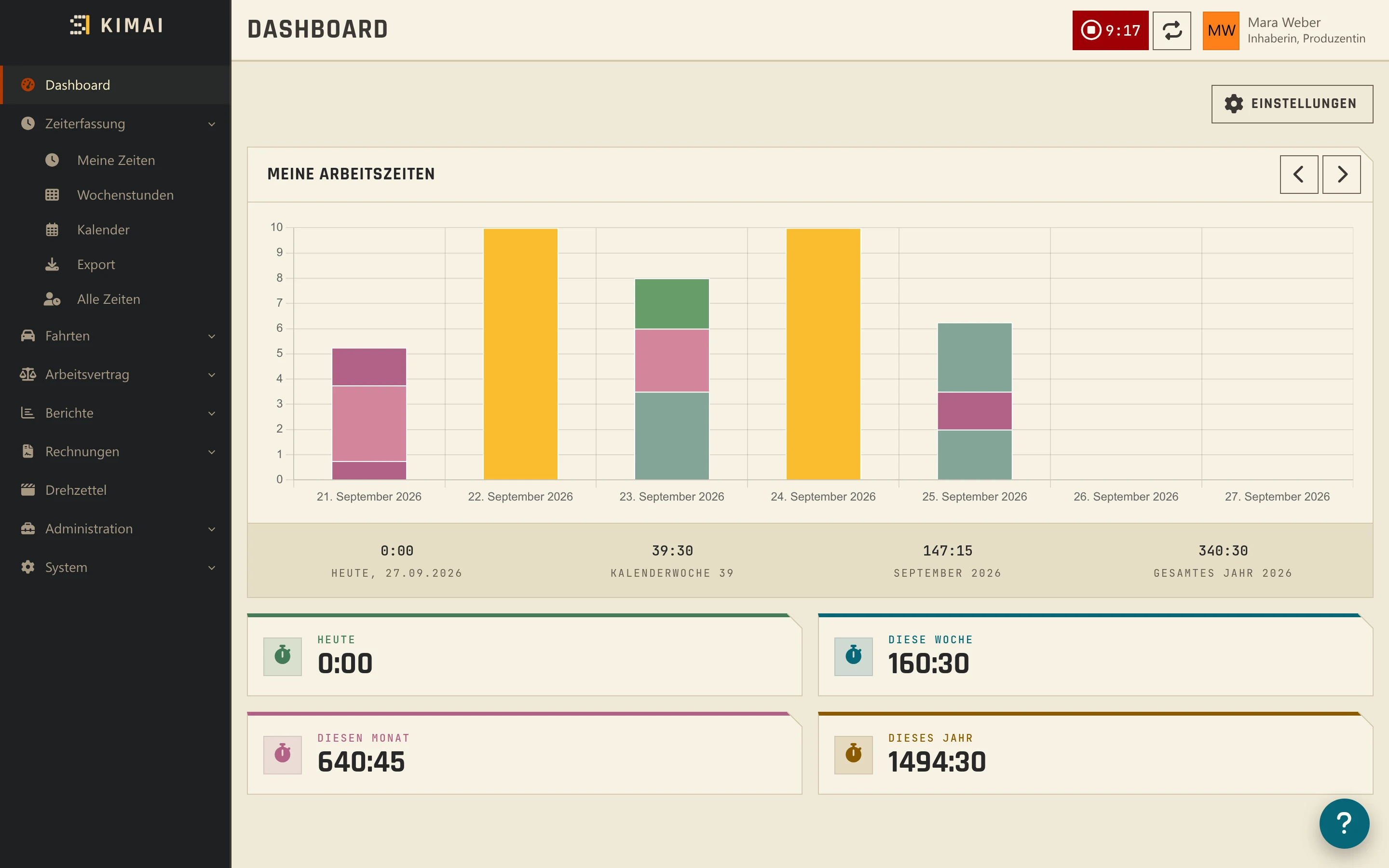
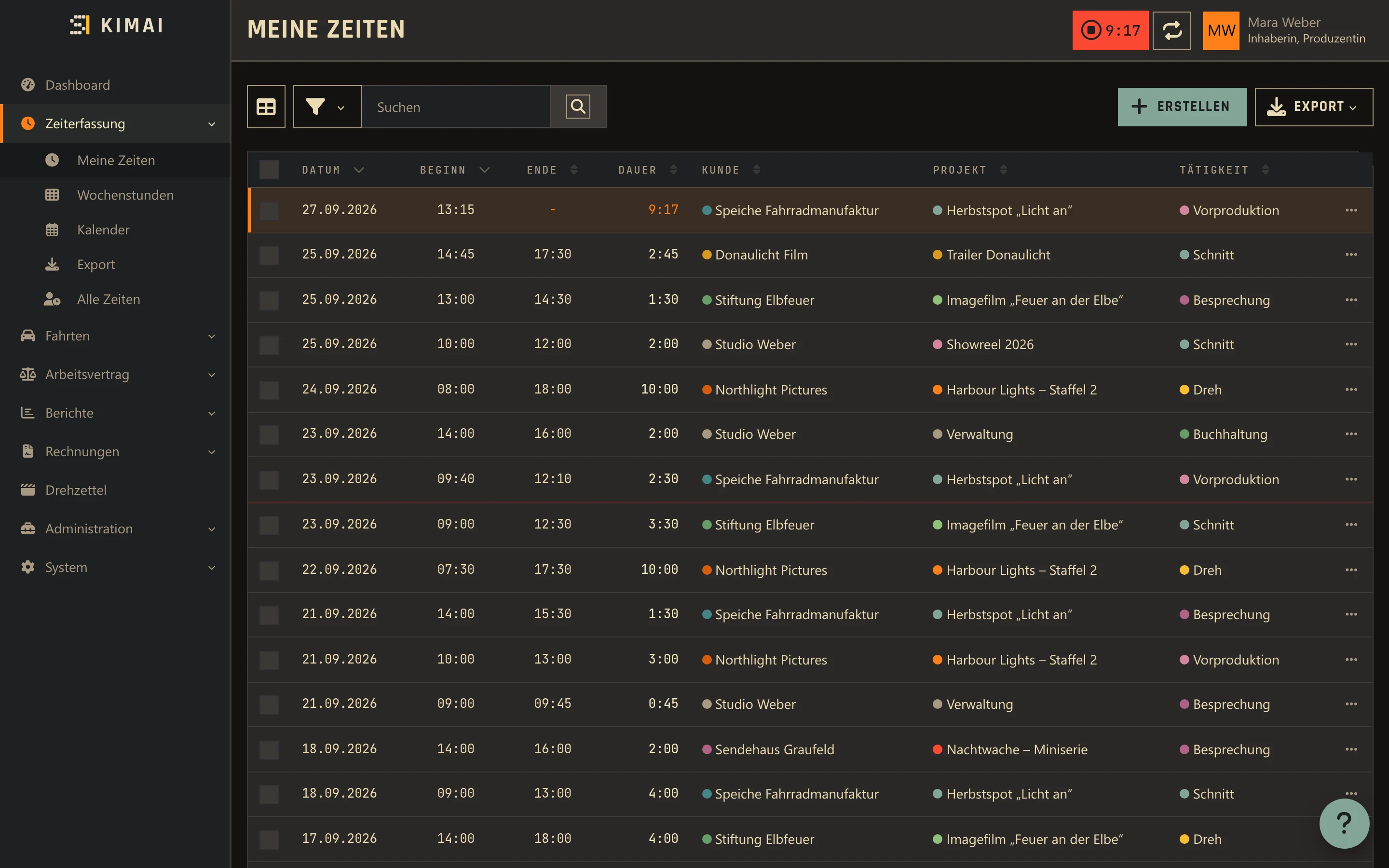
Gruvbox dunkel oder „Leinen“ hell. Jeder Benutzer wählt selbst unter Profil → Einstellungen → Theme, unabhängig von allen anderen.
One accent color for everyone
Eine Akzentfarbe für alle
Blue, yellow, orange or aqua, set once under System → Settings → Knust and applied across both palettes.
Blau, Gelb, Orange oder Aqua, einmal unter System → Einstellungen → Knust gesetzt und in beiden Paletten wirksam.
Square, with one cut corner
Eckig, mit einer Abschrägung
No rounded corners anywhere — except a small beveled triangle on every card, in the background color, the “Knust” cut.
Keine runden Ecken irgendwo — außer einem kleinen abgeschrägten Dreieck auf jeder Karte, in der Hintergrundfarbe, dem „Knust“-Schnitt.
Rajdhani and JetBrains Mono
Rajdhani und JetBrains Mono
Rajdhani for headings, JetBrains Mono for numbers, times and amounts — dates and durations line up instead of drifting.
Rajdhani für Überschriften, JetBrains Mono für Zahlen, Zeiten und Beträge — Daten und Dauern stehen bündig statt zu wandern.
Styles the shrippen plugin kit
Gestaltet das shrippen-Plugin-Kit
Plugins using kimai-plugin-ui 0.4’s markers (kpu-num, kpu-tier, kpu-mark) — Drehzettel, Holiday, Abrechnung, Anfahrten, Farbfächer — pick up Knust automatically.
Plugins mit den Kennzeichnungen aus kimai-plugin-ui 0.4 (kpu-num, kpu-tier, kpu-mark) — Drehzettel, Holiday, Abrechnung, Anfahrten, Farbfächer — übernehmen Knust automatisch.
Variables only, markup untouched
Nur Variablen, Markup unverändert
Only CSS variables and a few component rules on top of Tabler. Kimai’s own markup and behavior stay exactly as they are.
Nur CSS-Variablen und wenige Komponentenregeln über Tabler. Kimais eigenes Markup und Verhalten bleiben genau, wie sie sind.
One theme, two palettes
Ein Theme, zwei Paletten
Gruvbox dark for evenings, “Leinen” (linen) light for daylight — same shapes, same type, same accent color, just the palette underneath each user picks for themselves.
Gruvbox dunkel für den Abend, „Leinen“ hell für den Tag — gleiche Formen, gleiche Schrift, gleiche Akzentfarbe, nur die Palette darunter wählt jeder für sich.
- Switch under Profile → Settings → Theme, or leave it on “Automatic” to follow the system
- The sidebar always stays dark — Kimai fixes it to
data-bs-theme="dark" - Login screen swaps the logo for the light palette automatically
- Wechsel unter Profil → Einstellungen → Theme, oder auf „Automatisch“ lassen, dann folgt es dem System
- Die Seitenleiste bleibt immer dunkel — Kimai setzt dort fest
data-bs-theme="dark" - Der Login-Bildschirm tauscht das Logo für die helle Palette automatisch
A plugin says what, Knust says how
Ein Plugin sagt was, Knust sagt wie
A plugin marks what an element is — a number, a severity, a color dot — with Tabler classes and kimai-plugin-ui’s markers. Knust decides what that looks like. Without Knust, the plugin looks like a normal Kimai plugin.
Ein Plugin kennzeichnet, was ein Element ist — eine Zahl, eine Schwere, ein Farbpunkt — mit Tabler-Klassen und den Kennzeichnungen aus kimai-plugin-ui. Knust entscheidet, wie das aussieht. Ohne Knust sieht das Plugin aus wie ein normales Kimai-Plugin.
kpu-numfor numbers, times and amounts → JetBrains Monokpu-tier+data-kpu-tier="0–3"for a severity → tinted band, colored bar and textkpu-markfor a customer/project/activity color dot → square instead of round- Own plugin CSS:
--knust-*variables, always with a fallback, e.g.border-radius: var(--knust-mark-radius, 50%)
kpu-numfür Zahlen, Zeiten und Beträge → JetBrains Monokpu-tier+data-kpu-tier="0–3"für eine Schwere → getönte Fläche, farbiger Balken und Textkpu-markfür Farbpunkte von Kunde, Projekt, Tätigkeit → eckig statt rund- Eigenes Plugin-CSS:
--knust-*-Variablen, immer mit Rückfallwert, z. B.border-radius: var(--knust-mark-radius, 50%)
Full rules and every variable: PLUGINS.md.
Alle Regeln und Variablen: PLUGINS.md.
How it works
So funktioniert es
Knust hooks into Kimai’s own theming: a subscriber sets the accent, a square radius and the logo on every request, and a second subscriber loads Knust’s stylesheet on every page, login included.
Knust hängt sich in Kimais eigenes Theming ein: Ein Subscriber setzt bei jeder Anfrage Akzent, eckigen Radius und Logo, ein zweiter lädt auf jeder Seite, auch beim Login, das Knust-Stylesheet.
Install
Installation
- Download
KnustBundle-<version>.zipand unzip it intovar/plugins/; it contains the folderKnustBundle, whose name must stay. - Run
bin/console kimai:reload. - Run
bin/console kimai:bundle:knust:install— it copies CSS and fonts topublic/bundles/knust/. Since 1.5.0 everykimai:reloaddoes that too, so a Kimai update keeps the theme. - Set the accent color under System → Settings → Knust. Light or dark is each user’s own choice under Profile → Settings → Theme.
- Lade
KnustBundle-<version>.zipherunter und entpacke es nachvar/plugins/; es enthält den OrdnerKnustBundle, dessen Name bleiben muss. - Führe
bin/console kimai:reloadaus. - Führe
bin/console kimai:bundle:knust:installaus — kopiert CSS und Schriften nachpublic/bundles/knust/. Seit 1.5.0 macht das auch jedeskimai:reload, ein Kimai-Update behält das Theme also. - Stelle die Akzentfarbe unter System → Einstellungen → Knust ein. Hell oder dunkel wählt jeder Benutzer selbst unter Profil → Einstellungen → Theme.
Logo: the shrippen mark with the “KIMAI” wordmark is the default; theme.branding.company or theme.branding.logo take priority if set.
Logo: die shrippen-Bildmarke mit der Wortmarke „KIMAI“ ist Standard; theme.branding.company oder theme.branding.logo haben Vorrang, falls gesetzt.
Changes
Änderungen
-
1.5.0
The theme survives Kimai updates: after a new container its files come back on their own. Also new: the send results of kit 0.9, weekends and map credits that stay readable, and a help button that no longer covers amounts.
Das Theme übersteht Kimai-Updates: Nach einem neuen Container kommen seine Dateien von selbst zurück. Dazu die Versandergebnisse aus Kit 0.9, Wochenenden und Kartenhinweise, die lesbar bleiben, und ein Hilfe-Knopf, der keine Beträge mehr verdeckt.
NewNeu
- Send results from kit 0.9: “Sent” with a tick and “Failed” with a cross, like approved and rejected (Drehzettel’s mail log).
- Versandergebnisse aus Kit 0.9: „Gesendet“ mit Haken, „Fehlgeschlagen“ mit Kreuz, wie genehmigt und abgelehnt (Versandprotokoll im Drehzettel).
ImprovedVerbessert
- Palette from Kante: a red for text (
--shr-red-text) that reaches 4.5:1 on every ground, and a darker green for positive values in the light palette “Leinen”, which now reaches 4.5:1 on every ground too.
- Palette aus Kante: ein Rot für Schrift (
--shr-red-text), das auf jedem Grund 4,5:1 erreicht, und ein dunkleres Grün für positive Werte in der hellen Palette „Leinen“, das jetzt ebenfalls auf jedem Grund 4,5:1 erreicht.
FixedBehoben
- In Kimai’s Docker image
public/is no volume, so every Kimai update started withoutpublic/bundles/knust/, and Kimai ran without the theme until someone rankimai:bundle:knust:install. Knust now copies its stylesheets, fonts and logo back on every cache warmup (kimai:reload, which the image runs at each start) when they are missing or from another version, never on a page load, and never through a link. - Weekends in calendar days (
kpu-day, the absence calendar) are tinted instead of dimmed; in the dark palette they were hard to tell from weekdays. - Kimai’s floating help button stays faint until hovered or focused; it covered right-aligned amounts (Drehzettel’s week, mileage).
- The credits on maps stay readable: Leaflet’s white background stayed under the light text.
- Im Docker-Image von Kimai liegt
public/auf keinem Volume, darum startete jedes Kimai-Update ohnepublic/bundles/knust/, und Kimai lief ohne Theme, bis jemandkimai:bundle:knust:installaufrief. Knust kopiert Stylesheets, Schriften und Logo jetzt bei jedem Cache-Aufwärmen zurück (kimai:reload, das das Image bei jedem Start ausführt), wenn sie fehlen oder zu einer anderen Version gehören; nie bei einem Seitenaufruf und nie über einen Link. - Wochenenden in Kalendertagen (
kpu-day, Abwesenheitskalender) sind getönt statt abgesenkt; in der dunklen Palette waren sie kaum von Werktagen zu unterscheiden. - Kimais schwebender Hilfe-Knopf bleibt blass, bis man darüberfährt oder ihn fokussiert; er lag über rechtsbündigen Beträgen (Drehzettel-Woche, Fahrtkosten).
- Die Quellenangabe auf Karten bleibt lesbar: Unter der hellen Schrift blieb Leaflets weißer Hintergrund.
All changes since 1.2.0 →Alle Änderungen seit 1.2.0 →NoteHinweis
- Update as usual (unzip,
bin/console kimai:reload). After a Kimai updatekimai:bundle:knust:installis no longer needed.
- Update wie gewohnt (entpacken,
bin/console kimai:reload). Nach einem Kimai-Update istkimai:bundle:knust:installnicht mehr nötig.
Questions
Fragen
Do I need the other shrippen plugins?Brauche ich die anderen shrippen-Plugins?
No. Knust works standalone on any Kimai 2.67. Plugins that use the kimai-plugin-ui kit (Drehzettel, Holiday, Abrechnung, Anfahrten, Farbfächer) simply look best with it, since their markers style automatically.
Nein. Knust funktioniert eigenständig auf jedem Kimai 2.67. Plugins mit dem kimai-plugin-ui-Kit (Drehzettel, Holiday, Abrechnung, Anfahrten, Farbfächer) sehen damit nur am besten aus, weil ihre Kennzeichnungen automatisch gestaltet werden.
Does it change Kimai’s markup?Ändert es Kimais Markup?
No. Only CSS variables and a handful of component rules on top of Tabler. Kimai’s templates, JavaScript and behavior are untouched.
Nein. Nur CSS-Variablen und eine Handvoll Komponentenregeln über Tabler. Kimais Templates, JavaScript und Verhalten bleiben unverändert.
Which browsers does it need?Welche Browser braucht es?
Any current browser for the theme itself. The dashboard counters color their bar via :has(), which needs Chrome 105+, Firefox 121+ or Safari 15.4+; older browsers just show the bar uncolored.
Für das Theme selbst jeder aktuelle Browser. Die Dashboard-Zähler färben ihren Balken über :has(), das braucht Chrome 105+, Firefox 121+ oder Safari 15.4+; ältere Browser zeigen den Balken einfach ungefärbt.
What doesn’t Knust reach?Was erreicht Knust nicht?
The sidebar stays dark (Kimai fixes that), modals stay square-cornered (a clipped bevel would cut off “…” menus), and Chart.js diagrams color themselves via JavaScript, unstyled by Knust.
Die Seitenleiste bleibt dunkel (das setzt Kimai fest), Modals bleiben eckig ohne Abschrägung (ein Clip-Path würde die „…“-Menüs abschneiden), und Chart.js-Diagramme färben sich per JavaScript, unangepasst durch Knust.